An ET4000 ISA graphics card, adapted to the Atari MegaBus, promises higher resolutions and more colors than the native Shifter chip can dream of. Getting one running in my heavily upgraded Mega ST 4 "High" machine turned out to be a genuine hardware battle, but it now works like a charm.
The STGA Adapter
The key to running an ET4000 in an Atari ST is a STGA adapter, a design published by Till Harbaum in the ST-Magazin (issues 5, 6 and 7 in '93) that lets you drive an ET4000 VGA card in an Atari ST. I found a nice STGA adapter for ET4000 cards on ebay-kleinanzeigen.de, reproduced by an Atari forum user. After some research into which type of ET4000 could work, I bought one on ebay.de, and here it is running in my Atari Mega 4.
The Card and Driver
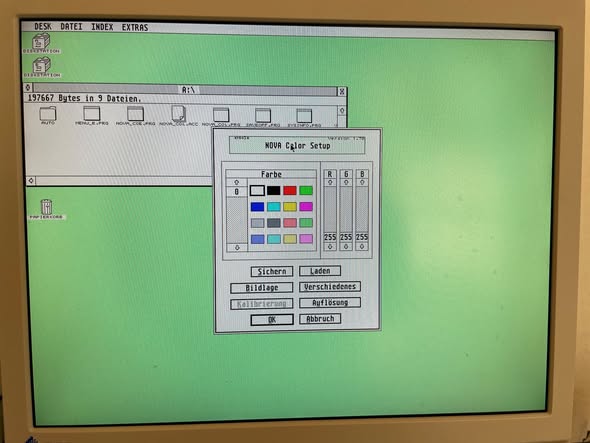
I can confirm that a card with the RAMDAC SC11487CN works with the Nova T8 and T6 drivers. And importantly, this particular card does not need -12V, which simplifies the wiring considerably. The STGA adapter comes with its own VDI (STGA_VDI.SYS, v1.3b), a control panel as a CPX module, and a ROM module that switches to the VGA automatically at boot.
Nova driver loading order
When using the ET4000 with Nova drivers, the loading order in the auto-start folder matters. The correct sequence is:
Emulator.prg(must be first)menu.prgorxmenu.prgsta_vdi.prg
What Made It Difficult
- Power supply overload, the stock Mega ST PSU simply wasn't designed to feed a MonSTerBoard, an ET4000, and a MegaBus adapter at the same time. The 5V and 12V rails ended up right at their instability limit.
- The missing -12V, many ET4000 cards need -12V for their output drivers, usually tapped from the RS-232 port, adding yet another drain on an already stressed supply. The card I used avoids this.
- Heat with nowhere to go, the card runs hot, and the Mega ST case has zero provision for active cooling.
- Signal integrity issues, the ISA-to-MegaBus adapter introduces reflections at higher frequencies, and access to ET4000 RAM is roughly 65% slower than native ST RAM, with no hardware BitBLT to make up for it.
- DVI incompatibility, the EIZO monitor has DVI-D (digital only), but all available DVI-to-VGA adapters only work with DVI-I (which includes analog lines). Since the EIZO lacks the analog pins, a DVI adapter cannot be used. The ET4000 has its own VGA output and connects directly to the monitor. The self-built VGA adapter on the Atari's native VGA output is only used as a fallback for diagnostics, when something goes wrong during boot before the ET4000 driver loads.
How It Got Working
Solving it came down to giving the supply the headroom it needed. With a properly beefed-up power supply to cover the 5V and 12V rails, plus a cooling solution for the card, the stability problems went away. The ET4000 now drives higher resolutions and more colors than the Shifter chip can natively produce, turning the "High" machine into a genuine workstation.
GemBench Results
How does the ET4000 actually perform on an 8 MHz 68000? GemBench 6.31 gives the answer. The reference system is an STE 68000 with stock Shifter, the "High" machine has the ET4000 running at 1024x768x256.
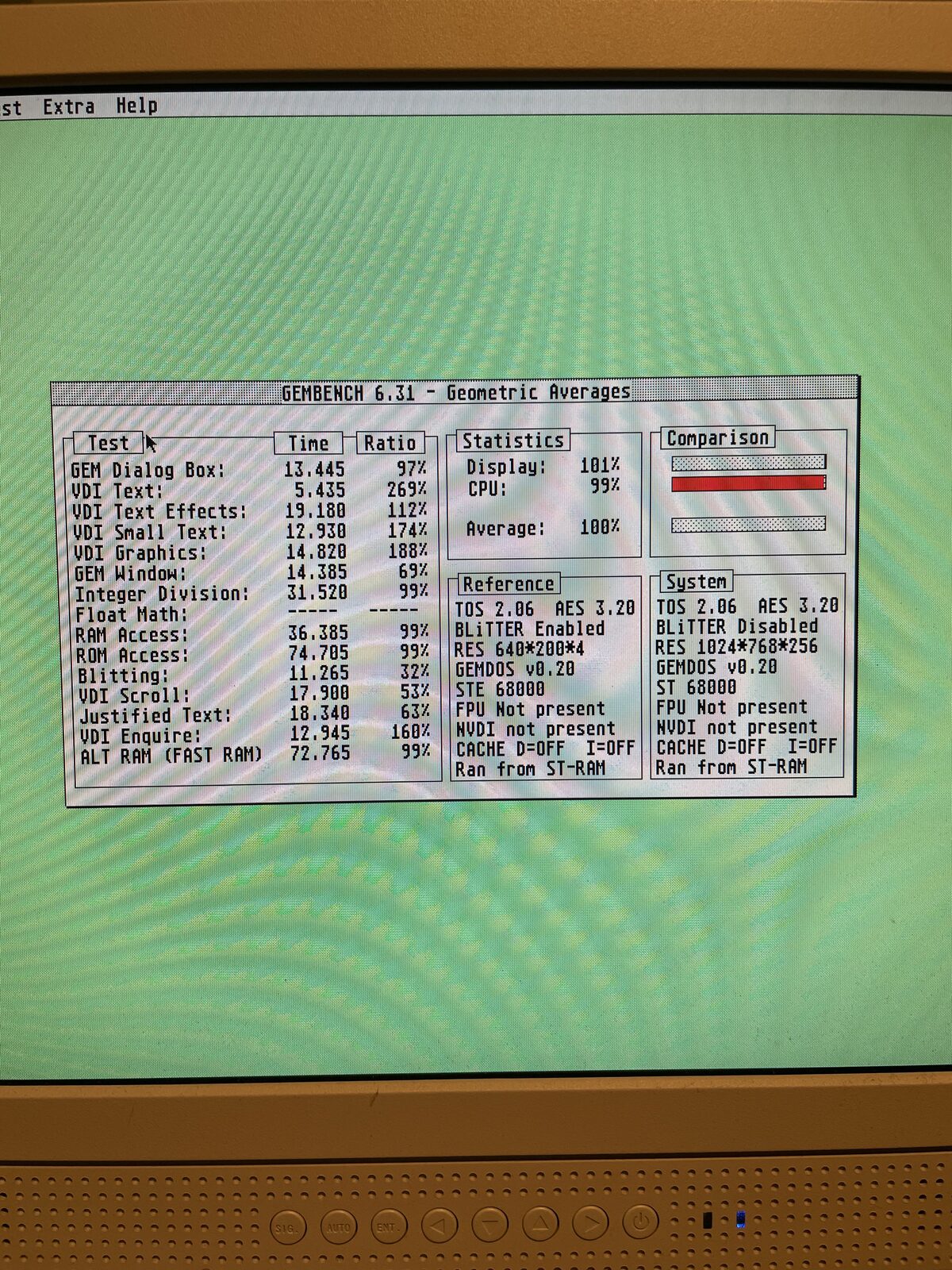
GemBench 6.31 running on the Mega ST 4 "High" with the ET4000.
| Test | Ratio | What it means |
|---|---|---|
| VDI Text | 269% | Nearly 3x faster, the ET4000 handles text rendering |
| VDI Small Text | 174% | Noticeably faster |
| VDI Graphics | 188% | Drawing and line work is quicker |
| VDI Enquire | 160% | Screen queries are faster |
| VDI Text Effects | 112% | Slightly faster |
| GEM Dialog Box | 97% | Barely affected |
| Integer Division | 99% | CPU-bound, unchanged |
| RAM / ROM Access | 99% | CPU-bound, unchanged |
| Justified Text | 63% | Slower, GEM still handles this via CPU |
| GEM Window | 69% | Slower, GEM window management adds overhead |
| VDI Scroll | 53% | Slower, scrolling is CPU-bound despite the card |
| Blitting | 32% | Much slower, no hardware BitBLT on the ET4000 |
The overall average sits at 100%, which is misleading. The picture is split: anything the ET4000 can accelerate (text, graphics drawing) runs significantly faster, while GEM-level operations that still go through the CPU (window management, scrolling, blitting) are dragged down by the overhead of driving a higher resolution through the adapted ISA bus. Running at 1024x768 with 256 colors means roughly 3x the pixel count and roughly 25x the data volume compared to ST High (640x400 monochrome), since the ST's fixed 32 KB screen buffer holds far less data per frame than a 256-color 1024x768 framebuffer. The Nova driver without NVDI squeezes the maximum out of this particular card and driver combination. In day-to-day use, the VDI gains are what you see and feel: text is crisp, menus pop up quickly, and drawing applications are noticeably more responsive.
The Context
FPGA cores on MiSTer and MiST still only emulate the native ST Shifter, with no ET4000 emulation on the horizon given the FPGA resources it would require. So the real hardware approach remains the only way to get those higher resolutions, and now it works in the Mega ST 4 "High" machine with its dedicated monitor.
Gallery
The ET4000 graphics card ready for installation.
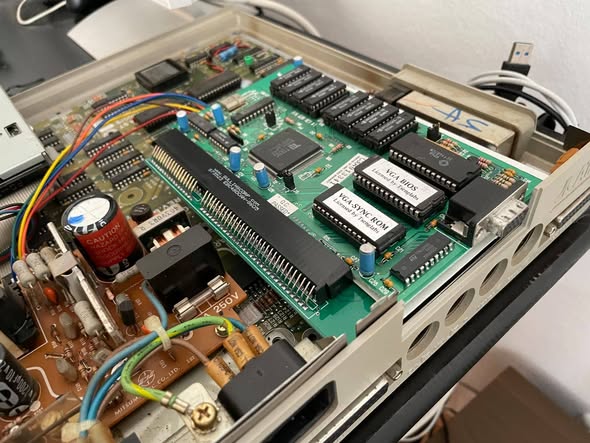
The ET4000 installed in the Mega ST.
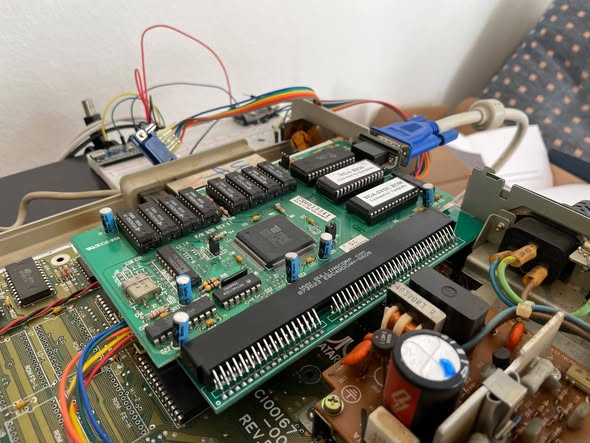
Close-up of the card and its wiring.
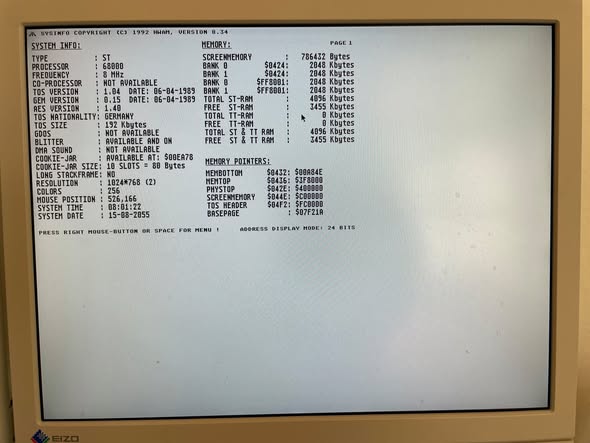
The ET4000 driving a higher resolution desktop.
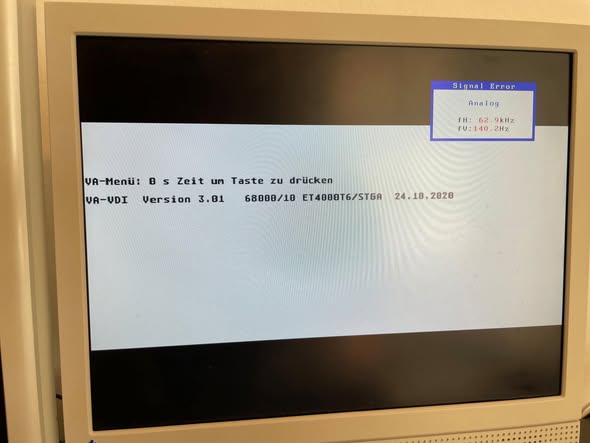
The finished ET4000 setup in the workstation.
Sources
Lesson learned: "just add a graphics card" on 40-year-old hardware is never "just" anything. But with the right STGA adapter, a compatible card, and the power supply and cooling sorted, the ET4000 now runs where I always hoped it would.