To get the Atari ST onto a modern monitor, I use RGB-to-VGA adapters. I have three of them: a passive MCSWITCH adapter on the "Low" machine, a self-built adapter on the "High" machine, and a newer active ST2VGA Enhanced that isn't in use yet.
The MCSWITCH (Low machine)
The Mega ST 4 "Low" uses an MCSWITCH adapter (ATARI Monochrome & Color VGA Adapter) by Olivier Gossuin. It shows all three ST resolutions on a suitable VGA monitor, with a switch for mono and color. The version documented on albersdoerfer.de also has an A/V connector and volume buttons, but mine is an older revision without the volume buttons and with a slightly different look. I can't find my exact version at Olivier's anymore, nor a newer one, so the adapter I have is a bit of a rare older revision.
The self-built adapter (High machine)
The Mega ST 4 "High" uses a self-built adapter. I followed the guide at pest.atari.org to build a simple RGB-to-VGA adapter for the Atari monitor port.
The ST2VGA Enhanced (not yet in use)
I also bought a new active ST2VGA Enhanced from SidecarTridge, but it isn't in use yet. Unlike the passive adapters, the Enhanced adds an active amplifier and filter stage for early or noisy Atari machines, and carries its own +5V supply over micro-USB. It's designed for machines with weak video output, visible "jailbars", or picky LCD inputs that fail to lock to the signal.
A note on monitors
Passive RGB-to-VGA adapters output the Atari's native timings, so color modes (ST Low and ST Medium) need a monitor that can lock to a 15 kHz horizontal sync signal. See my monitor compatibility page for which modern panels actually work. Mono mode (ST High) works on any standard VGA display.
Gallery
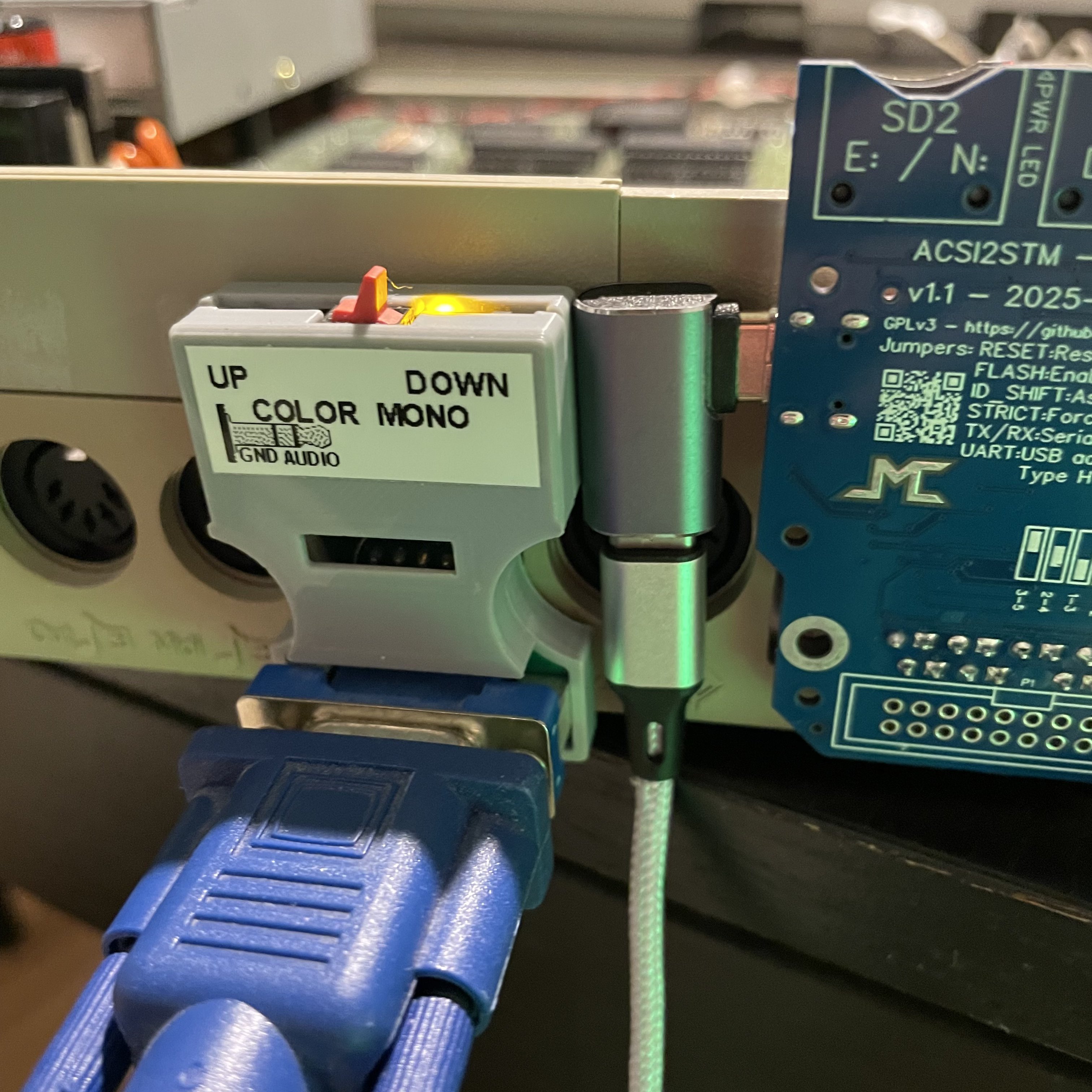
The MCSWITCH adapter on the Mega ST 4 "Low" machine.