My Mega ST 4 "High" workstation is built around the MonSTerBoard, an upgrade board from Alan Hourihane that sits on the MegaBus and adds 8 MB of TT-RAM, dual IDE interfaces and a 2 MB flashable TOS to any Atari ST, STe, Mega ST or Mega STe, hence the name. It's the board that turns the "High" machine into a genuine multitasking workstation.
What the MonSTerBoard adds
- 8 MB of TT-RAM, alternate memory usable with TOS 2.06, MiNT and MagiC. Configurable via the M_ALTRAM program, which then goes into the auto-start folder.
- Dual IDE interfaces, two IDE connections on the board, ideal for a CompactFlash or IDE-SD adapter as mass storage.
- Flashable TOS (2 MB), a 2 MB flash chip that can hold up to four TOS images, so you can switch operating systems in software.
- Optional real-time clock, a connector for an RTC module based on the Dallas DS1338 (already present on Mega ST/Mega STE mainboards).
- 512K EmuTOS and flash disk support, the spare flash space can even hold a fast boot disk or an EmuTOS image.
The heart of the board is a Xilinx XC9572XL CPLD that ties it all together. For a Mega ST, the board needs a separate MegaBus adapter board, also available from Alan.
Installation
Installation is fairly straightforward. For a Mega ST, plug the MonSTerBoard together with the adapter onto the MegaBus, connect the power supply and run a cable to pin 10 of the ACSI port. One thing that catches people out: the original TOS ROMs on the mainboard must be removed, otherwise the machine keeps booting the old TOS instead of the one on the flash board.
The jumper block
The board has an 18-pin jumper block. The top row is 3.3V, the bottom row is GND, and combined with the middle row they set the options. From left to right: TOSSEL, FLASHSW, FLASHON, IDESW, SCL and SDA.
- TOSSEL, for STFM/Mega ST with TOS 1.xx: jumper to GND boots from 0xE00000 (e.g. TOS 2.xx), jumper to 3.3V boots from 0xFC0000 (e.g. TOS 1.xx).
- FLASHSW, swaps the second 1 MB of the flash chip between the 0xE00000 and 0xFC0000 windows, so you can flash the other operating system.
- FLASHON, disables access to the flash for recovery mode, so the original ROMs can be reinstalled if needed.
- IDESW, swaps the first and second IDE interfaces.
- SCL/SDA, connection for the RTC module.
Software
Alan provides three programs for the MonSTerBoard: M_FLASH.ZIP to write the onboard flash, M_ALTRAM.ZIP to configure the RAM (2, 4, 6 or 8 MB, then placed in the auto-start folder), and M_RTC.ZIP for the Dallas RTC module. In total you can install four TOS versions: two 192 KB and two 256 KB images.
TOS selection via the jumpers
The TOSSEL and FLASHSW jumpers pick which TOS the machine boots from the flash. A common setup maps them like this:
| TOSSEL | FLASHSW | Boots |
|---|---|---|
| off | off | EmuTOS |
| on | off | PP's modified TOS 1.04 |
| off | on | TOS 2.06 |
| on | on | Kaos TOS 1.4.3 |
The MonSTerBoard is generally blitter-agnostic and works with all common Mega ST blitter variants, as long as the bus signals are clean. Common symptoms like a white screen with no boot are, in practice, usually caused by contact issues at sockets or incorrect jumper settings, not a defective blitter.
My Setup
In my Mega ST 4 "High" machine the MonSTerBoard provides the 8 MB of TT-RAM that TOS 2.06 and Geneva use for real multitasking. For storage I use the dual IDE interface, booting the system directly from a CompactFlash card. I started with a 4 GB card, but that didn't work reliably, so I switched to a 1 GB card, which works fine. There's no ACSI hard drive connected in this machine; the IDE boot is noticeably faster than an ACSI drive would be. Combined with the ET4000 graphics card and its dedicated monitor, it's the most capable machine in the fleet.
Gallery
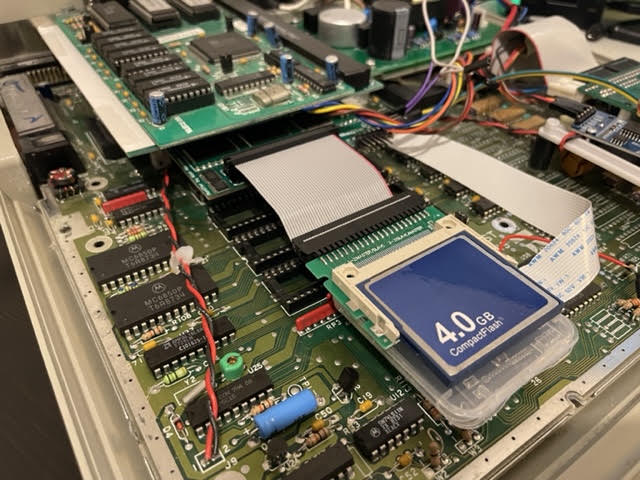
The MonSTerBoard IDE adapter with a CompactFlash card attached.
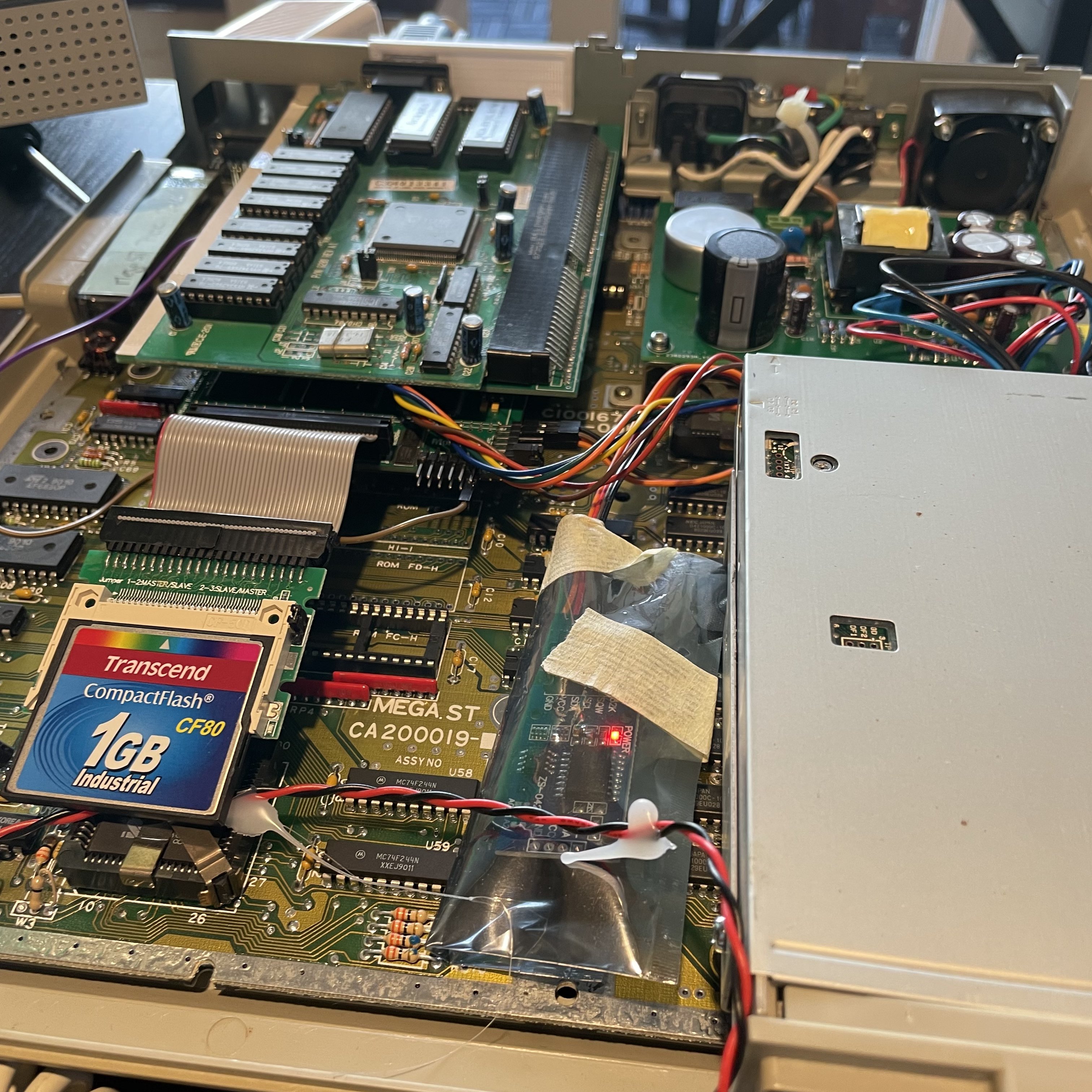
After the 4 GB card didn't work, I switched to a 1 GB CompactFlash card.
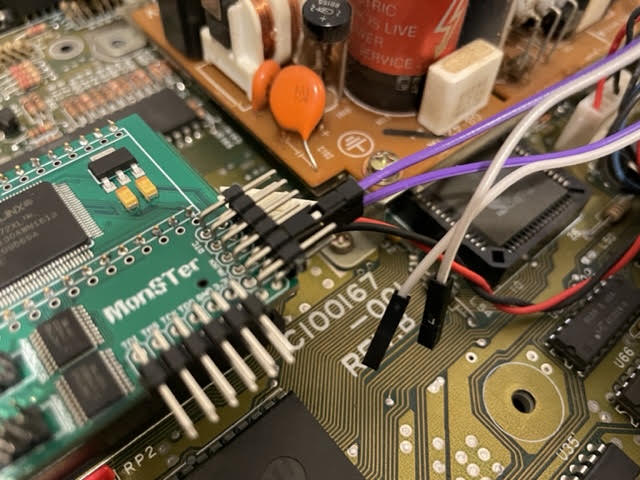
The MonSTerBoard pins and jumper block.